


This month’s Rootshell Platform update gives security and testing teams more control over the way they work. From editable Microsoft Word reports and faster Microsoft Defender for Endpoint imports to smarter false-positive handling, these improvements are designed to remove friction and keep your exposure management workflows moving.
Microsoft Word Report Exports
Give testing teams more flexibility to refine client-ready reports before final delivery.
Why This Matters for Security Teams
Assessment reports are one of the most important client-facing outputs produced by a security team.
When final editorial or formatting adjustments are needed, fixed report formats can create avoidable manual work and limit the flexibility available to the people delivering the assessment.
Editable Word exports give authorised testing teams a practical way to make final refinements while retaining the established delivery process.
How It Works
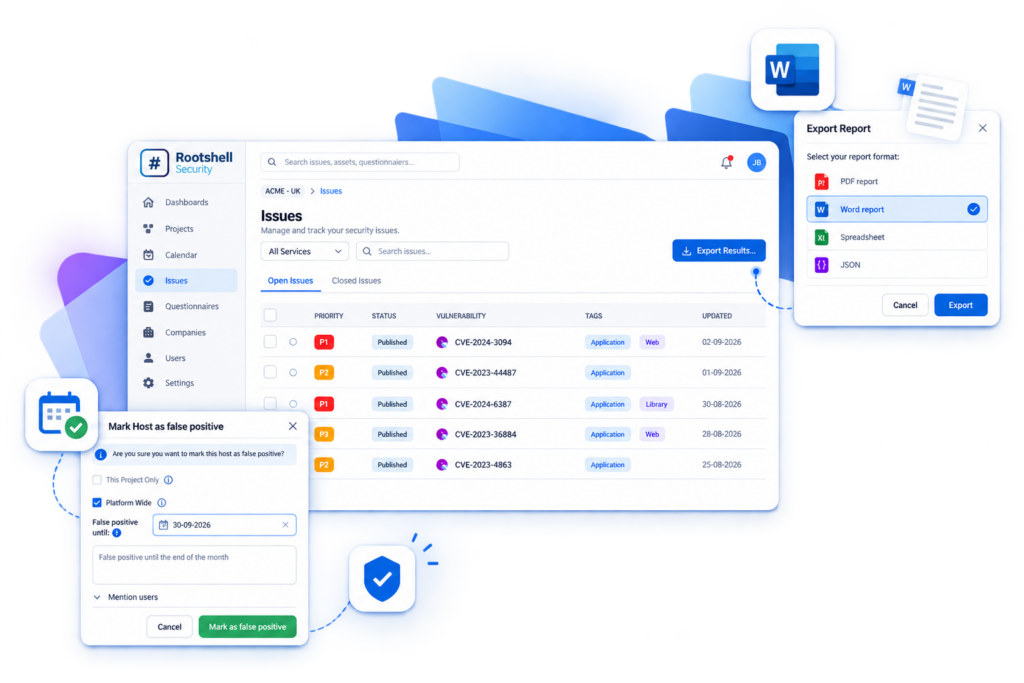
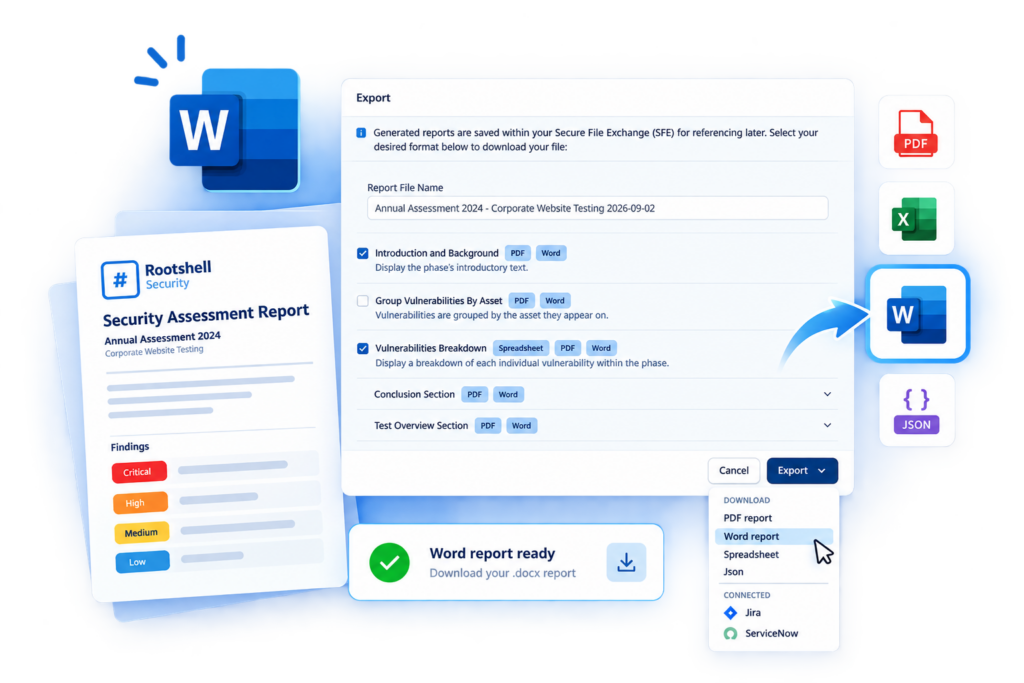
In addition to existing PDF, Spreadsheet and JSON options, users from the testing company responsible for an assessment can download reports in Microsoft Word (.docx) format.
Testing teams can edit report content and presentation, add bespoke material and collaborate on refinements before final delivery to the client.
Word exports are restricted to users belonging to the test company assigned to the project.
Client organisations continue to use the existing export formats and do not receive Word export access.
The Real Benefit
- Export reports directly in Microsoft Word (.docx) format.
- Support final report customisation and internal review workflows.
- Help delivery teams produce polished, high-quality client deliverables.
- Preserve appropriate access controls around proprietary report content and delivery methods.
Microsoft Defender for Endpoint Integration Optimisation
Faster, more resilient vulnerability ingestion for enterprise-scale Microsoft Defender for Endpoint environments.
Why This Matters for Security Teams
Large vulnerability and asset datasets can make synchronisation slower and place pressure on integrations that are critical to day-to-day exposure management.
For organisations using Microsoft Defender for Endpoint at enterprise scale, a reliable and efficient flow of data is essential for timely vulnerability visibility and reporting.
Improving the integration helps teams scale with confidence as their environments and data volumes grow.
How It Works
The Microsoft Defender for Endpoint integration has been re-engineered to process larger volumes of vulnerability and asset data more efficiently.
The updated workflow improves import performance, asset correlation and processing efficiency, reducing unnecessary work during synchronisation.
The changes also improve resilience in the face of processing limits or API constraints and provide a smoother experience when working with Microsoft Defender for Endpoint findings within Rootshell Platform.
The Real Benefit
- Process large Microsoft Defender for Endpoint datasets more efficiently.
- Reduce the time required to synchronise vulnerability data.
- Support enterprise-scale environments with greater reliability.
- Improve the experience of reviewing Microsoft Defender for Endpoint findings in the platform.
False Positive Suppression Enhancements
Apply clearer, time-bound control to false positive decisions and keep future scan results focused on meaningful risk.
Why This Matters for Security Teams
In regularly scanned environments, a false positive decision can lose its value if the same issue repeatedly reappears in future results.
That creates unnecessary noise and forces teams to revisit decisions that have already been validated.
A time-bound suppression workflow helps teams keep issue views focused while retaining the right level of control and governance.
How It Works
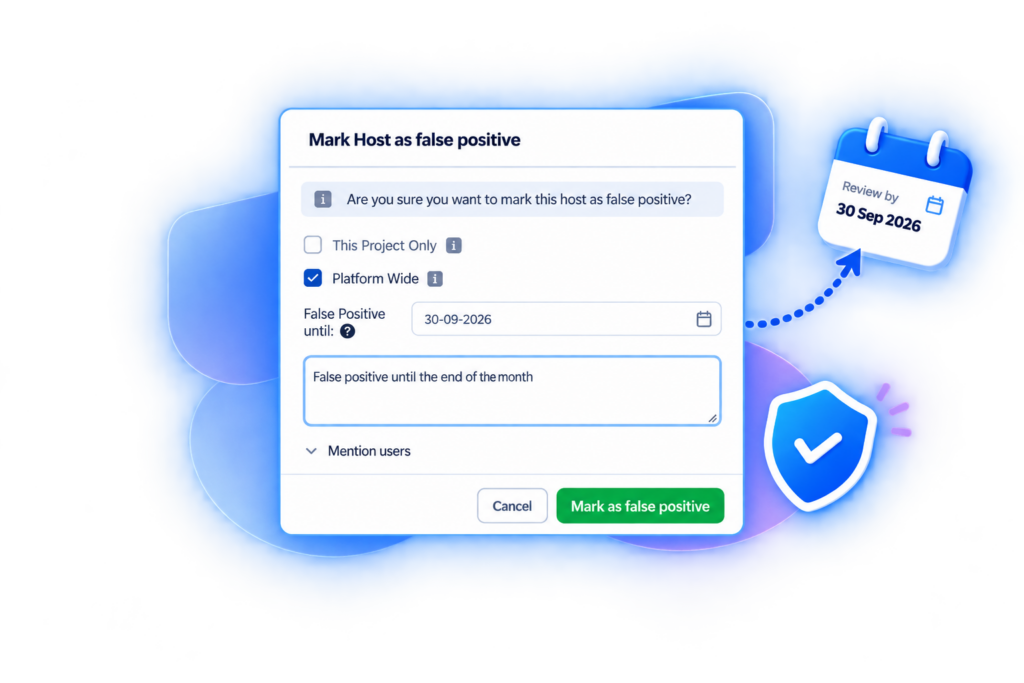
When marking an issue as a false positive, users can apply a date-based suppression approach to define how long the decision should remain in effect.
The false positive workflow is brought closer in line with accepted-risk handling, helping users manage future scan behaviour with greater consistency.
The Real Benefit
- Add future dates to false positive handling.
- Control whether a false positive decision continues into future scans.
- Improve consistency between false positive and accepted-risk workflows.
- Support clearer governance for temporary or time-bound issue decisions.