

New Integration: Azure DevOps Ticketing
Move vulnerability remediation into the development workflows teams already use.
Why This Matters for Security Providers
Security providers and internal security teams often identify risk in one platform, then rely on manual exports, emails or spreadsheets to get the work into engineering backlogs.
That gap slows remediation and makes it harder to show clients where a vulnerability is in its lifecycle.
By connecting Rootshell Platform to Azure DevOps Boards, providers can help customers keep security findings visible within the workflow their development teams already manage.
How It Works
Users can connect an Azure DevOps organisation, select the target project and work item type, then export Rootshell Platform issues as structured Azure DevOps work items containing severity, technical detail, affected instances, remediation guidance and references.
The integration maintains a link between the Rootshell Platform issue and the Azure DevOps work item, supporting status synchronisation and configurable handling when a work item reaches a defined done state.
Automation Centre support enables Azure DevOps ticket creation through rules based on criteria such as risk rating, exploitability, asset classification and SLA conditions.
The Real Benefit
- Reduce manual hand-offs between security and engineering teams.
- Give developers the vulnerability context they need inside Azure DevOps.
- Maintain a clearer remediation trail across both platforms.
- Help partners demonstrate remediation progress without chasing updates across systems.
Custom Saved Filters
Save, share and reuse the views that help teams focus on the risks that matter.
Why This Matters for Security Teams
Security teams repeatedly return to the same investigations: critical vulnerabilities, exploitable issues, priority assets or a defined business area.
Rebuilding those views every time creates friction and makes it harder for teams to work from consistent data.
Saved filters turn repeat investigations into a faster, more shareable workflow.
How It Works
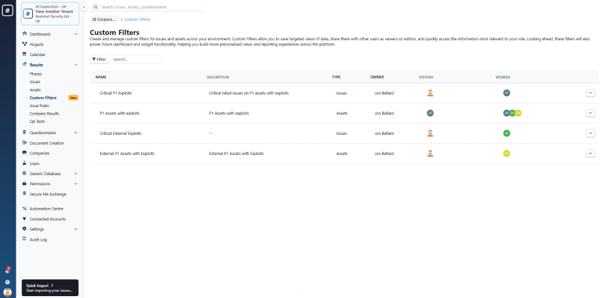
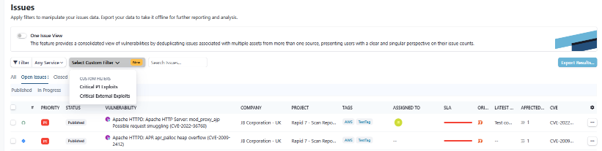
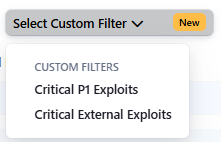
Users can create and save combinations of filters on the Issues and Assets pages, then apply them again with a single action.
Saved filters can be shared with colleagues using viewer access for use or editor access for ongoing maintenance.
The feature also supports multiple saved filters for different teams and use cases.
The Real Benefit
- Return to frequently used vulnerability and asset views quickly.
- Reduce repetitive filter setup during triage and reporting.
- Create consistent investigation views across teams and departments.
- Support collaboration through shared viewer and editor access.